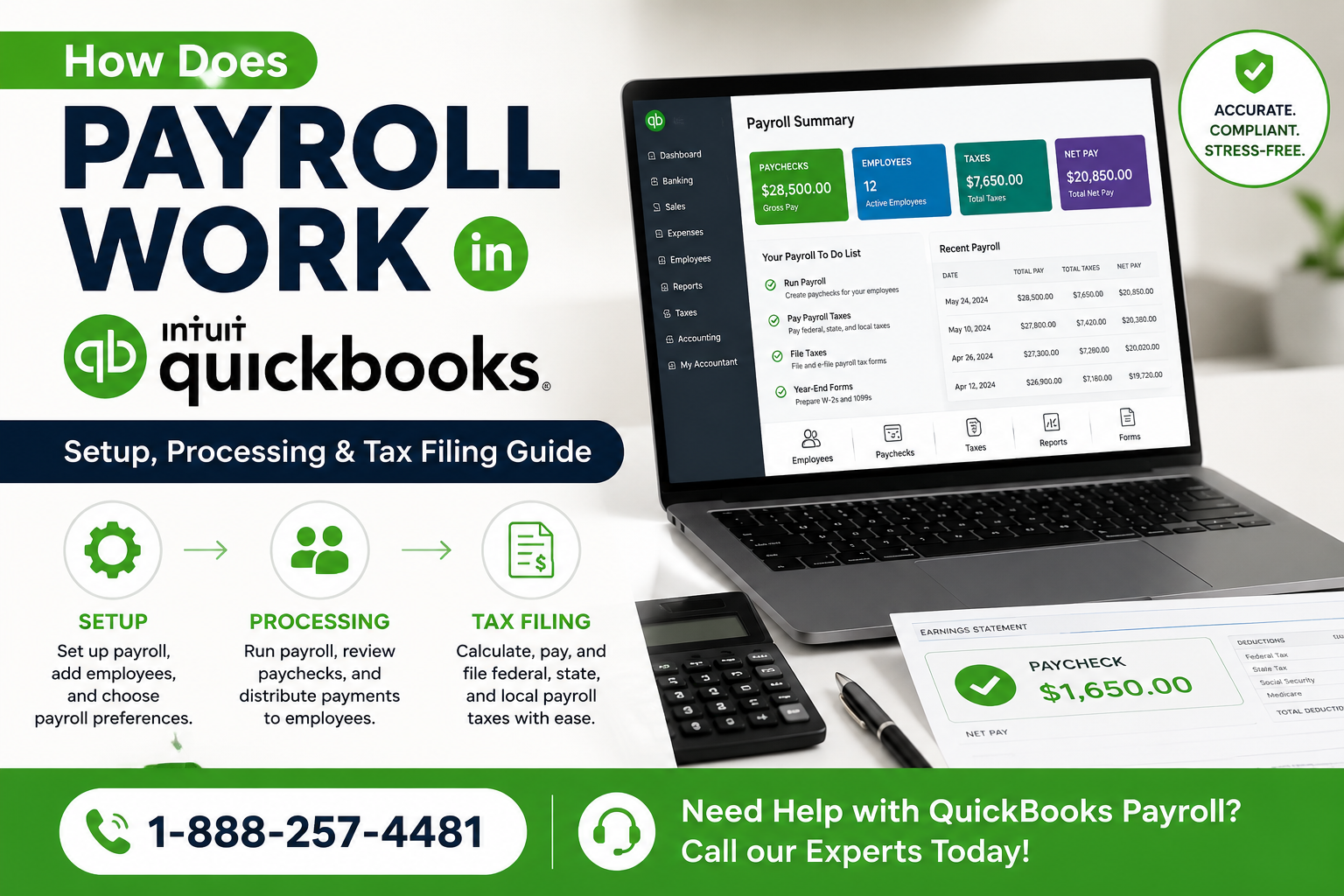
Managing payroll is one of the most important responsibilities for any business. Employees expect accurate and timely paychecks, while businesses must comply with federal and state tax regulations. Fortunately, QuickBooks Payroll simplifies the entire process by automating payroll calculations, tax deductions, direct deposits, and tax filings.
This comprehensive guide explains how payroll works in QuickBooks, from setup to processing payroll and filing taxes.
What Is QuickBooks Payroll?
QuickBooks Payroll is a payroll management solution integrated with QuickBooks accounting software. It helps businesses:
✔ Calculate employee wages automatically
✔ Deduct payroll taxes accurately
✔ Process direct deposits
✔ Generate pay stubs and payroll reports
✔ File and pay federal and state payroll taxes
✔ Prepare year-end tax forms such as W-2s and 1099s
Whether you have one employee or hundreds, QuickBooks Payroll can streamline payroll operations and reduce manual work.
Why Businesses Use QuickBooks Payroll
Many small and medium-sized businesses choose QuickBooks Payroll because it:
- Saves time through automation
- Reduces payroll errors
- Tracks employee hours
- Calculates taxes automatically
- Supports direct deposit
- Integrates with QuickBooks accounting
- Generates compliance reports
- Simplifies year-end tax filing
Instead of using spreadsheets and manual calculations, businesses can process payroll in just a few clicks.
Step 1: Setting Up Payroll in QuickBooks
Before running payroll, you must complete the payroll setup process.
Add Company Information
QuickBooks requires:
- Business name
- Business address
- Employer Identification Number (EIN)
- State tax account numbers
- Industry information
This information helps QuickBooks calculate payroll taxes correctly.
Add Employees
For each employee, enter:
- Full name
- Address
- Social Security Number
- Date of hire
- Pay rate
- Payment method
- Tax withholding information
QuickBooks stores employee records securely and uses them during payroll processing.
Choose Pay Schedule
Businesses can select:
- Weekly payroll
- Bi-weekly payroll
- Semi-monthly payroll
- Monthly payroll
The schedule determines when employees receive their paychecks.
Set Up Direct Deposit
Direct deposit allows wages to be transferred directly into employee bank accounts.
Benefits include:
- Faster payments
- Improved security
- Reduced paperwork
- Greater employee satisfaction
Most businesses today prefer direct deposit over paper checks.
Configure Payroll Taxes
QuickBooks automatically calculates:
- Federal Income Tax
- Social Security Tax
- Medicare Tax
- State Income Tax
- Local Taxes (where applicable)
This helps ensure compliance with payroll tax regulations.
Step 2: Tracking Employee Hours
Hourly employees must have accurate work hours recorded.
QuickBooks supports:
Manual Time Entry
Employers can manually enter:
- Regular hours
- Overtime hours
- Vacation hours
- Sick leave
Time Tracking Integration
QuickBooks integrates with time-tracking systems that automatically import employee hours.
This eliminates data entry errors and improves payroll accuracy.
Step 3: Processing Payroll
Once employee information and hours are entered, payroll processing can begin.
Review Payroll Information
Before submitting payroll, review:
- Employee hours
- Salary amounts
- Overtime calculations
- Bonuses
- Commissions
- Tax deductions
This step helps prevent payroll mistakes.
Calculate Employee Pay
QuickBooks automatically calculates:
Gross Pay
Gross pay includes:
- Regular wages
- Overtime pay
- Bonuses
- Incentives
- Commissions
Example:
Employee Hours: 40 Hourly Rate: $25
Gross Pay:
40 × $25 = $1,000
Calculate Payroll Deductions
QuickBooks subtracts:
- Federal taxes
- State taxes
- Social Security
- Medicare
- Retirement contributions
- Health insurance premiums
The remaining amount becomes the employee's net pay.
Determine Net Pay
Net pay is the amount employees actually receive.
Formula:
Net Pay = Gross Pay − Taxes − Deductions
QuickBooks performs these calculations automatically.
Step 4: Paying Employees
After payroll approval, QuickBooks distributes employee payments.
Direct Deposit
Funds are transferred electronically to employee bank accounts.
Advantages:
- Fast processing
- Secure payments
- Reduced administrative work
Printed Paychecks
Businesses can print checks directly through QuickBooks.
Each paycheck includes:
- Gross wages
- Tax deductions
- Benefits deductions
- Net pay
Pay Cards
Some businesses choose payroll cards as an alternative payment option.
QuickBooks supports various payroll payment methods.
Step 5: Payroll Tax Management
Payroll taxes are one of the most complex parts of payroll administration.
QuickBooks automates many payroll tax functions.
Payroll Taxes Calculated by QuickBooks
Federal Income Tax
Calculated based on:
- Employee W-4 information
- Filing status
- IRS tax tables
Social Security Tax
QuickBooks calculates Social Security contributions automatically according to current tax rates.
Medicare Tax
Medicare taxes are calculated and deducted during payroll processing.
State Payroll Taxes
State-specific payroll taxes are also calculated automatically where applicable.
Step 6: Filing Payroll Taxes
QuickBooks Payroll can help businesses:
Pay Payroll Taxes
Businesses can submit:
- Federal tax payments
- State tax payments
- Unemployment taxes
through payroll tax services.
File Tax Forms
QuickBooks helps prepare and submit:
- Form 941
- Form 940
- State payroll forms
- Local tax forms
This reduces paperwork and compliance risks.
Step 7: Generating Payroll Reports
Payroll reporting is critical for financial management.
QuickBooks generates reports such as:
Payroll Summary Report
Shows:
- Employee wages
- Taxes
- Deductions
- Employer contributions
Payroll Detail Report
Provides detailed payroll transactions.
Tax Liability Report
Displays:
- Tax obligations
- Due dates
- Payment status
Employee Earnings Report
Tracks employee compensation history.
These reports help businesses monitor payroll costs and prepare for audits.
Step 8: Year-End Payroll Processing
At year-end, businesses must provide tax documents.
QuickBooks assists with:
W-2 Forms
Employees receive W-2 forms showing annual earnings and taxes withheld.
1099 Forms
Independent contractors receive 1099 forms where required.
Year-End Tax Filing
QuickBooks simplifies preparation for:
- Federal filings
- State filings
- Employee tax reporting
This helps businesses meet tax deadlines accurately.
Benefits of Using QuickBooks Payroll
Businesses that use QuickBooks Payroll often experience:
Time Savings
Payroll can be processed in minutes instead of hours.
Improved Accuracy
Automatic calculations reduce human error.
Better Compliance
Tax calculations remain updated with current regulations.
Employee Satisfaction
Direct deposit ensures timely payments.
Integrated Accounting
Payroll data automatically syncs with QuickBooks accounting records.
Common Payroll Mistakes QuickBooks Helps Prevent
QuickBooks helps avoid:
- Incorrect tax calculations
- Missed payroll deadlines
- Overtime miscalculations
- Duplicate payments
- Missing employee information
- Late tax filings
- Payroll reporting errors
Automation significantly reduces payroll-related risks.
Final Thoughts
QuickBooks Payroll streamlines the entire payroll process—from employee setup and payroll calculations to tax filing and year-end reporting. By automating payroll tasks, businesses can reduce errors, save time, remain compliant with tax laws, and ensure employees are paid accurately and on time.
Whether you're a small business owner, accountant, or payroll administrator, QuickBooks Payroll provides a centralized solution for managing payroll efficiently while integrating seamlessly with your accounting records.
FAQ 1: How Does Payroll Work in QuickBooks for Small Businesses?
Answer:
QuickBooks Payroll simplifies the entire payroll process by automating employee payments, tax calculations, direct deposits, and payroll reporting. Business owners begin by entering employee details, pay rates, tax information, and payroll schedules. Once payroll is set up, QuickBooks automatically calculates gross pay, deductions, taxes, and net pay.
Case Study:
A small plumbing company with 12 employees used spreadsheets to calculate payroll manually. Every pay period required several hours of work, and payroll mistakes were common. After implementing QuickBooks Payroll, employee hours were imported automatically, taxes were calculated instantly, and paychecks were processed through direct deposit. The company reduced payroll processing time by nearly 75% and eliminated most payroll errors within the first few months.
FAQ 2: Does QuickBooks Payroll Automatically Calculate Payroll Taxes?
Answer:
Yes. QuickBooks Payroll automatically calculates federal income tax, Social Security tax, Medicare tax, state withholding taxes, and other applicable deductions. Tax tables are updated regularly, helping businesses remain compliant with changing regulations.
Case Study:
A digital marketing agency with 25 employees frequently encountered payroll tax calculation errors when using manual systems. During tax season, correcting mistakes consumed valuable time and resources. After switching to QuickBooks Payroll, tax calculations became automated and accurate. The agency successfully reduced tax filing errors and avoided late filing penalties while saving several hours every month.
FAQ 3: Can QuickBooks Payroll Handle Direct Deposit Payments?
Answer:
QuickBooks Payroll allows businesses to pay employees through direct deposit. Funds are transferred electronically to employee bank accounts, eliminating the need for paper checks and reducing payment delays.
Case Study:
A dental clinic with 18 employees previously distributed physical paychecks every two weeks. Staff members occasionally experienced delays due to holidays or mail delivery issues. After enabling QuickBooks Payroll direct deposit, employees consistently received their pay on schedule. Administrative staff spent less time managing payroll, and employee satisfaction improved significantly.
FAQ 4: How Long Does It Take to Process Payroll in QuickBooks?
Answer:
The actual time depends on the size of the workforce, but many businesses can process payroll within minutes once employee data and work hours have been entered.
Case Study:
A construction company with 40 field workers spent almost an entire day preparing payroll every two weeks. Managers had to calculate overtime, deductions, and taxes manually. After adopting QuickBooks Payroll, timesheets were imported automatically and payroll calculations were completed in under 30 minutes. This allowed management to focus more on project operations and less on administrative tasks.
FAQ 5: Is QuickBooks Payroll Worth It for Growing Businesses?
Answer:
QuickBooks Payroll is often considered a worthwhile investment because it automates payroll operations, improves accuracy, and supports business growth without requiring additional payroll staff.
Case Study:
An eCommerce startup started with five employees and processed payroll manually. As the company expanded to more than 60 employees, payroll administration became increasingly difficult. QuickBooks Payroll allowed the business to manage employee onboarding, payroll processing, tax filings, and reporting from a single platform. The company scaled efficiently without hiring a dedicated payroll department.
FAQ 6: What Payroll Reports Can QuickBooks Generate?
Answer:
QuickBooks Payroll provides a wide range of reports, including Payroll Summary Reports, Employee Earnings Reports, Payroll Tax Liability Reports, and Payroll Detail Reports. These reports help business owners monitor labor costs and maintain compliance.
Case Study:
A restaurant chain operating three locations struggled to track payroll expenses across departments. After implementing QuickBooks Payroll reporting tools, management gained visibility into labor costs, overtime trends, and payroll tax obligations. The reports helped identify scheduling inefficiencies and reduced unnecessary overtime expenses, improving profitability.
FAQ 7: Does QuickBooks Payroll File Payroll Taxes for You?
Answer:
QuickBooks Payroll can prepare, calculate, and in many plans electronically file payroll taxes and forms such as Form 941, Form 940, W-2s, and state payroll tax returns.
Case Study:
An accounting firm managing payroll for multiple clients previously spent countless hours preparing tax forms manually. After adopting QuickBooks Payroll, tax forms were generated automatically using payroll data. Filing accuracy improved dramatically, and clients experienced fewer compliance issues and penalties.
FAQ 8: How Accurate Is QuickBooks Payroll?
Answer:
QuickBooks Payroll is designed to reduce human error by automating calculations for wages, deductions, overtime, benefits, and payroll taxes. Accuracy largely depends on the quality of employee data entered into the system.
Case Study:
A manufacturing company with 50 employees frequently corrected payroll mistakes caused by manual calculations. After implementing QuickBooks Payroll, wage calculations and tax deductions became automated. Payroll corrections dropped significantly, and employee confidence in payroll accuracy increased.
FAQ 9: Can QuickBooks Payroll Handle Overtime and Bonuses?
Answer:
Yes. QuickBooks Payroll can calculate overtime pay, bonuses, commissions, reimbursements, and other special payroll items according to company policies and labor laws.
Case Study:
A logistics company regularly paid overtime during peak shipping seasons. Manual overtime calculations often led to payroll disputes. By using QuickBooks Payroll, overtime rates were automatically calculated based on employee hours. Payroll accuracy improved, and employee complaints regarding pay discrepancies were greatly reduced.
FAQ 10: What Happens If My Business Outgrows Basic Payroll Systems?
Answer:
QuickBooks Payroll is built to scale with growing businesses. As companies add employees, departments, and locations, the platform can continue supporting payroll operations while maintaining compliance and reporting capabilities.
Case Study:
A technology startup began with three employees and grew to more than 100 team members within five years. Instead of migrating to multiple payroll systems, the company continued using QuickBooks Payroll to manage employee records, tax filings, benefits, and payroll reporting. The ability to scale payroll operations helped support rapid growth while maintaining efficiency and compliance.
These case-study FAQs are ideal for targeting keywords such as "How Does Payroll Work in QuickBooks," "QuickBooks Payroll Guide," "QuickBooks Payroll Taxes," "QuickBooks Direct Deposit," and "QuickBooks Payroll for Small Businesses."